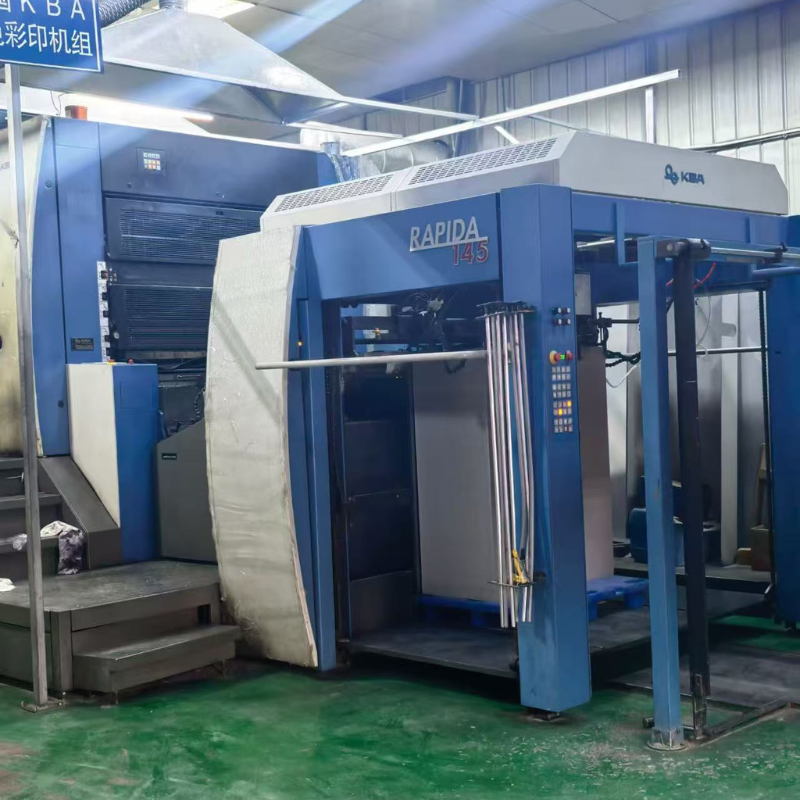
Special guidance for accessory maintenance of KBA (Rapida 75/106/105)
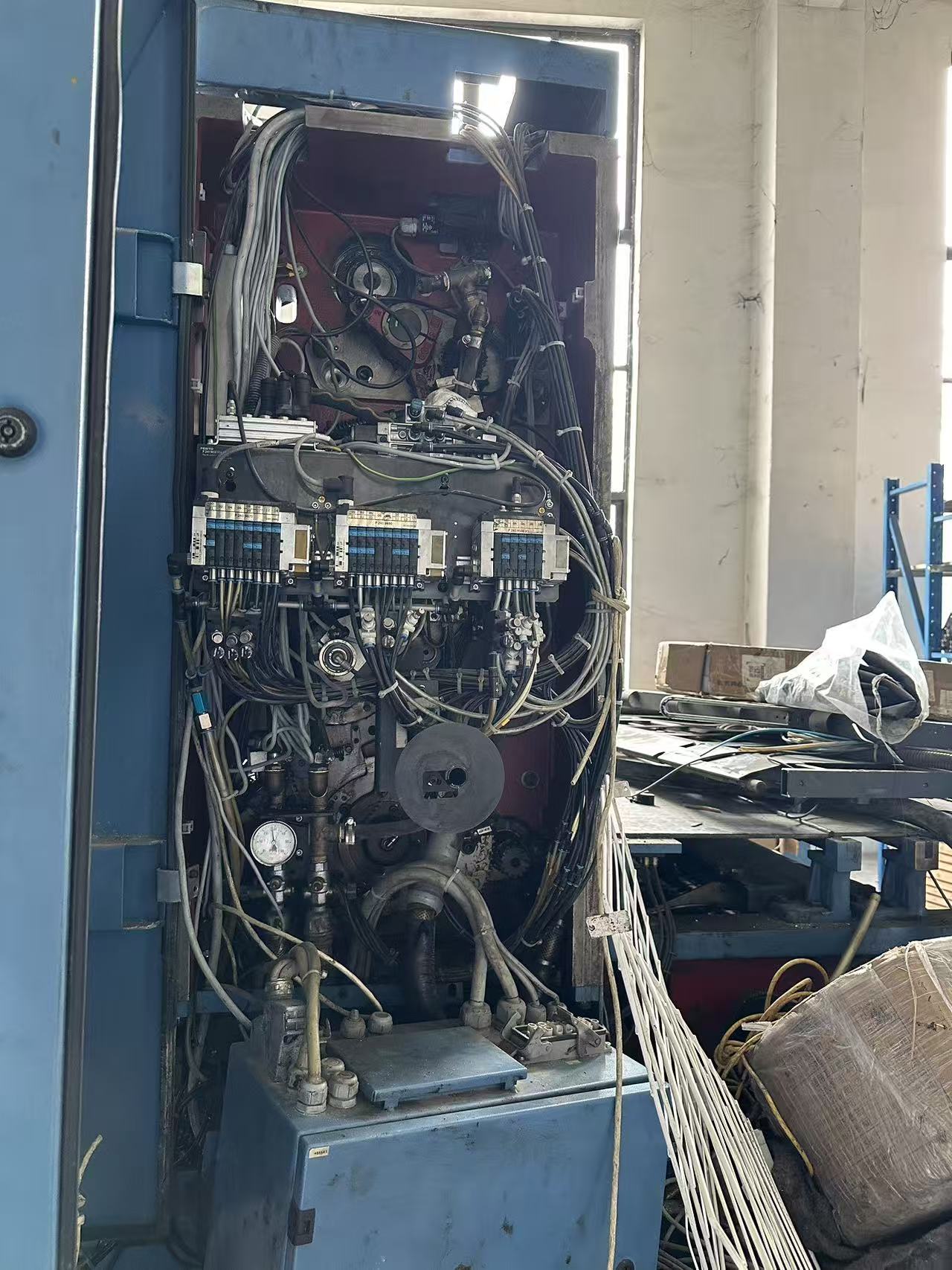 1、 Exclusive pre maintenance specification (exclusive to KBA)
1. Safety and power-off process
1. Disconnect the main air circuit breaker of the entire machine, press the emergency stop button on the control panel, and hang a maintenance warning sign;
2. The main valve of the pneumatic circuit is closed, and all cylinders and clutch chambers are completely depressurized;
3. The transmission surface gear oil circulation pump is powered off, and the hydraulic clutch unit is depressurized;
4. Electrical maintenance must wait for the driver capacitor to discharge for at least 10 minutes to prevent electric shock.
2. Lubrication classification (KAB body color oil nozzle identification, do not mix grease)
Red nozzle (16 hours): paper feeding teeth, roller bearings, opening cam
Yellow nozzle (80 hours): paper delivery chain discharge bearing, air pump bearing
White nozzle (380 hours): main transmission gear, synchronous belt tensioner
Orange (2280h), blue (4560h): main gearbox, ink lined large bearings
• Transmission surface gearbox: Special KBA circulating gear oil, with an oil level of at least 2/3 of the observation window, thoroughly changed every 6000 hours.
3. Principles for selecting accessories
1. Precision parts (tooth arrangement, ink key plate, encoder, rotary joint) are given priority to the original factory; Domestic substitution is only used for low value consumables such as nozzles, filters, O-rings, etc;
2. KAB sub model accessories are not universal: 75/106 tooth arrangement, clutch friction plate, and ink fountain motor models are incompatible with each other. Before replacing, check the body part number.
2、 KAB core vulnerable parts failure+repair+standard clearance
(1) Paper delivery/delivery tooth arrangement system (with the highest failure rate)
1. Paper delivery pads and dental chips are worn out
◦ Malfunction: Inability to hold paper, paper dropping, paper shifting, and deviation in transfer printing
◦ Maintenance: Replace the entire dental pad with the same specification; Replace the broken mouth of a single tooth piece separately;
Standard gap: The gap between the paper delivery pad and the embossing cylinder pad is 0.3mm; the synchronization error of the entire row of teeth is ≤ 0.1mm.
2. Paper delivery chain and chain seat bearings
◦ Malfunction: Chain jumping, misaligned opening and closing teeth time, high-speed paper throwing
◦ Maintenance: If the bearing clearance is greater than 0.2mm, replace it directly; Extend the chain link and replace the curved guide rail due to wear and tear on the guide rail; The two ends of the chain should be aligned coaxially, and the tension of the chain should sag by 5-8mm.
3. Paper delivery cam, tooth opening ball
◦ Malfunctions: abnormal noise, paper delivery advance/delay, multiple sheets, empty suction
◦ Maintenance: Grinding and polishing of cam pitting corrosion; Replace the entire set of broken dental balls and add high-temperature butter.
(2) Ink wash system: ink bucket, ink key, rubber roller, water roller
1. Ink key motor+ink fountain control board (KAB common problem: ink volume floating, single zone no ink output)
◦ Fault: The ink area value on the console does not match the actual ink film, there is partial ink breakage, and there is an error communication fault; Rubber strip damage, ink leakage, and motor contamination
◦ Maintenance steps:
① Clean the elastic rubber strip of the ink fountain, prohibit blade scratching, only use solvent to wipe;
② Single zone loss of control: first adjust the ink button and screw (clockwise to reduce ink, counterclockwise to add ink), let it stand for 20 minutes for retesting;
③ Invalid adjustment: Replace the micro ink key motor; Replace the ink fountain I/O control board for multi zone disorder;
◦ Taboo: Imitation boards are prone to color difference and signal delay, and batch printing should prioritize original factory boards.
2. Ink roller/water roller crystallization, eccentricity
◦ Malfunction: uneven water supply, ink discoloration, dirty plate
◦ Maintenance: Polishing with mild crystallization specific cleaning paste; Crack, eccentric bounce>0.08mm, re wrap or replace; The bearings at both ends of the KAB ink roller are regularly lubricated with butter.
(3) Clutch pressure, hydraulic rotary joint (drum clutch unit)
1. Pneumatic clutch friction plate
◦ Fault: Clutch slipping, delayed closing pressure, fluctuating printing pressure
◦ Maintenance: Disassemble the clutch chamber to clean ink and dust; Replace the entire set of friction plates with a thickness lower than the original factory lower limit; Standard working pressure 0.6~0.7MPa; The free clearance of the cylinder push rod is 1mm.
2. Hydraulic rotary joint of drum (core component with water and oil leakage)
◦ Malfunction: Cooling water/hydraulic oil leakage, large plate water, dirty printing with oil dots
Repair: Disassemble and replace the internal PTFE sealing ring; Replace the assembly directly if the joint housing is pulled; Assemble evenly and tighten the diagonal screws to avoid seal wear.
(4) Air circuit and air pump accessories (paper feeding and suction system)
1. Suction nozzle, suction nozzle piece, paper separating air nozzle
◦ Malfunction: Air suction, double sheet, skewed paper
Repair: Clean the paper powder; Replace all silicone suction nozzle pieces that have hardened and deformed; Fine adjust the blowing and suction pressure according to the weight of the paper.
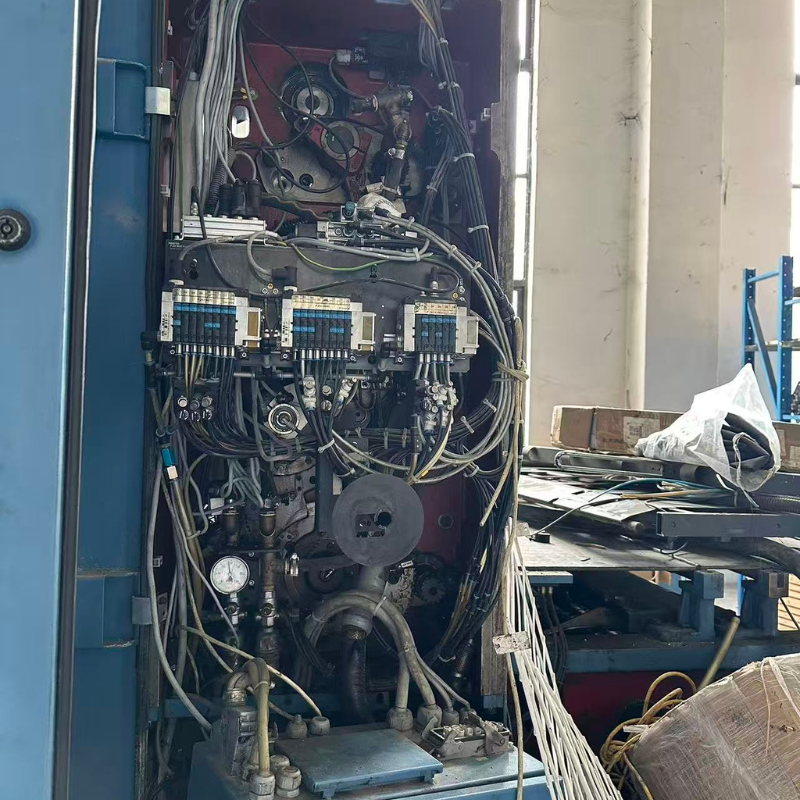
2. Air pump, filter element, and air path solenoid valve
◦ Maintenance cycle: Replace the filter element within 15 days in environments with high printing volume;
Electromagnetic valve stuck: Disassemble and clean the oil stains on the valve core; Replace the coil with a coil of the same voltage directly if it burns out; Replace the PU air pipe and quick connector sealing ring due to air leakage in the gas path.
(5) Electrical Control Class (Drivers, I/O Modules, Encoders, Sensors)
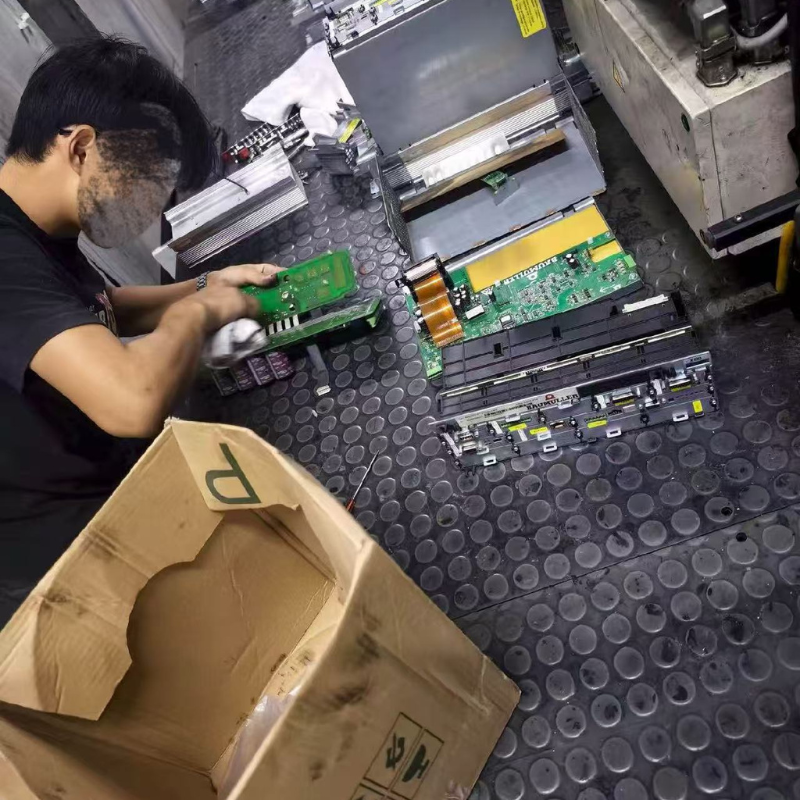
1. CT DC Speed Control Driver (M210/M350)
Common error repairs:
PS125: Internal power overload → Check motor circuit for short circuit, replace drive power board;
◦ SL120: Phase loss → Three phase power supply, contactor contact maintenance;
TH123: Motor overheating → Clean the cooling fan and lubricate the bearings;
2. Roller origin encoder
◦ Fault: Runaway of overprint, error in gauge position, offset of overprint during shutdown and restart
Repair: Check for damaged shielded wires and oxidized joints; Replace the water inlet/reading jump directly; After reinstallation, execute the machine origin calibration program.
3. Optoelectronic and dual proximity switches
◦ Fault: False alarm for dual sheets, paperless shutdown
◦ Repair: Wipe the lens ink paper powder clean; Adjust the sensing distance; Replace the original model directly if damaged, and do not mix universal switches.
(6) Transmission components: main gear, synchronous belt, bearings
1. Gear tooth surface pitting and tooth jumping: Replace the meshing gears in pairs and add circulating gear oil;
2. Main synchronous belt cracking and elongation: Stop the machine for replacement, align the teeth, adjust the tension of the tensioning wheel according to the manual, and do not pry or press the belt.
3、 KAB Standard Maintenance Process (7 Steps)
1. Fault location: Run at low speed without load, record the operator's fault code, abnormal noise location, and abnormal printing/ink painting;
2. Shutdown lock: power off, gas cut off, hydraulic pressure relief, hang out; Take photos of complex components, mark pipelines, and align gears;
3. Disassembly and cleaning: Classify and store screws and washers; Remove ink, paper powder, and old grease;
4. Wear detection: Use a feeler gauge to measure the clearance between teeth, bearing clearance, and friction plate thickness; Replace directly if it exceeds the standard;
5. Assembly reset: Tighten the bolts diagonally and evenly, and add corresponding numbered grease to all lubrication points;
6. Calibration and debugging
Mechanical: Manual turning for 3 turns without any jamming;
Electronic control: origin reset, ink key calibration, clutch pressure clearance calibration;
7. Test machine acceptance: Low speed → Medium speed → Full speed no-load for 30 minutes, then try printing again. If there are no faults and the overprinting is stable, complete the process and fill in the maintenance ledger.
4、 Key points for KAB exclusive maintenance and pit avoidance
1. Gearbox running hard due to oil shortage: KAB's main transmission relies on circulating oil lubrication, and the entire set of gears can be damaged within 1 hour of oil shortage; Check the oil level window daily;
2. Unilateral tightening of screws on the tooth row: This can cause twisting of the chain row and uneven clearance at the junction, and must be tightened diagonally in stages;
3. Cleaning the ink stick with a blade: Cutting the sealing strip will continue to leak ink and corrode the ink key motor, so only solvent soft wiping can be used;
4. Electrical maintenance without discharge: residual high voltage in the driver capacitor, highly susceptible to electric shock; After cutting off the power, let it stand for 10 minutes before dismantling;
5. Mixing of accessories for different models: 75/106 gear teeth, clutch plates, and encoder sizes are not universal, and forced assembly will directly scrap the roller accuracy;
6. Mixing of lubricating grease: The red, yellow, and blue marked grease fittings are not interchangeable, which can cause bearing clumping and jamming.
Recent Articles